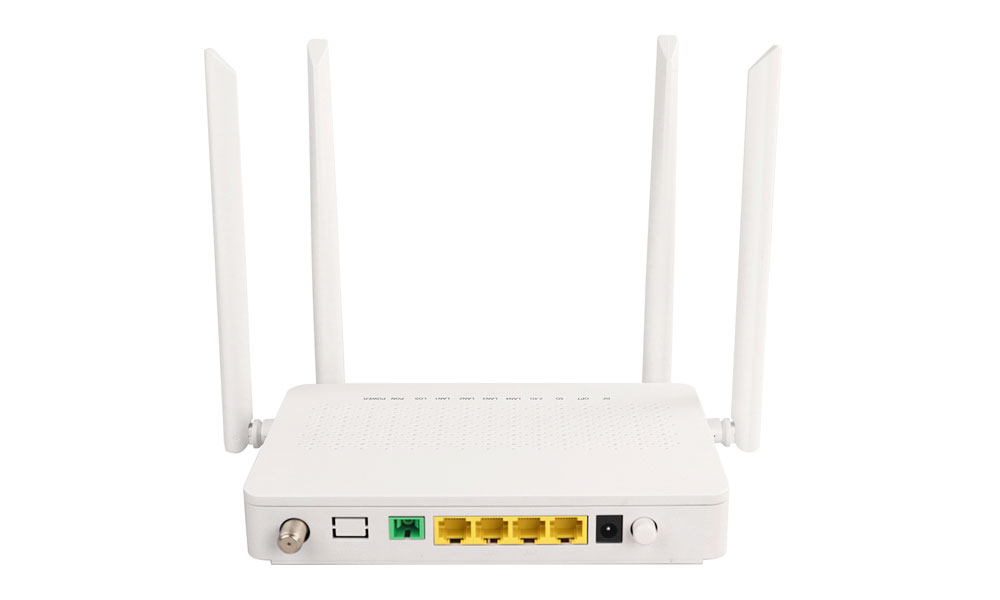
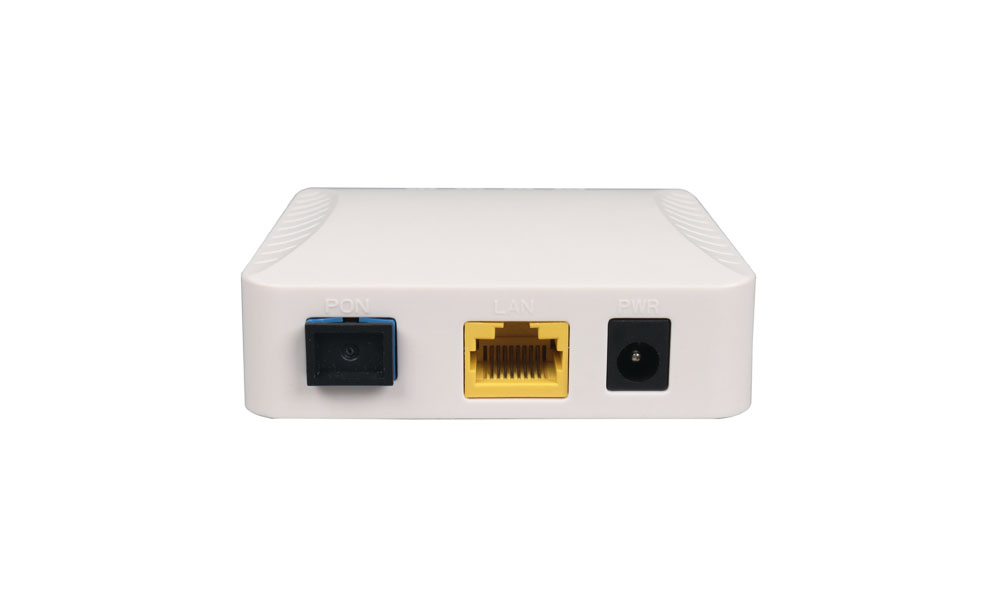
ONT-VU4736H AX3600 Dual Band WiFi 7 XPON ONU
Model Number: ONT-VU4736H
Brand: Softel
MOQ: 1
 Dual-band WIFI7 (AX3600)
Automatically adapt to the EPON or GPON mode
4GE+VOIP+USB 3.0 All-in-One
01
Product Description
Brief Introduction
The ONT-VU4736H is a XPON optical terminal access device (BE3600) that is highly integrated with dual-frequency Wi-Fi7. It is the end-product of optical fiber for operator, which supports ultra-bandwidth access through XPON upstream technology, and provides users with basic WIFI functions, routing, VOIP, and gigabit Ethernet functions. The ONT-VU4736H upstream network ports are XPON ports. The downstream user ports include four GE electrical ports, one VOIP port ,and BE3600 WiFi7 WLAN port.
Highlights
● 1 * XPON interface: SC/UPC (or SC/APC) interface, G/EPON standard
● 4 * Ethernet interface: 10/100/1000Mbps, RJ45, IEEE802.3-2005 standard
● 1 * VOIP interface: in accordance with G.711a/u, G. 729a/b, G.722 standard
● 1 * Standard USB 3.0 interface
● Dual-band WIFI7(BE3600) (2×2 MIMO (2.4G&5G))
| Hardware Specifications | Description |
| Port | 4GE+1VOIP+1USB+WIFI7+G/EPON |
| LED | POWER+PON/LOS+INTERNET+LAN+VOIP+WiFi_2.4G+WiFi_5G +WPS+USB |
| Button | POWER+RST+WIFI+WPS |
| Flash & Memory | Flash: 128MB; Memory: 256MB; |
| Power Supply | 12V/2A |
| Power Consumption | ≤24W |
| Environment Standard | Operating Temperature: -5~45℃Storage Temperature: -20~70℃Relative Humidity: 5%~95% (non-condensing) |
| Environment Friendly | RoHs 、CE 、CCC |
| Weight | 0.35KG |
| Size and Weight | 190mm*135mm*33mm (L*W*H) |
| Module type | Class B+, SC/UPC(or SC/APC) |
| wavelength | UP 1310nm, Down 1490nm |
| TX Optical power | 0.5~5dBm |
| RX Optical sensitivity | -28dBm |
| Transmission distance | 0~20km |
| Transmission rate | EPON: Upstream 1.25Gbps/Downstream 1.25Gbps GPON: Upstream 1.25Gbps/Downstream 2.5Gbps |
| LAN Interface type | LAN1-LAN4 : RJ45 (10/100/1000Mbps) |
| VOIP | RJ11 |
| USB | USB 3.0 |
| WIFI | Dual-band WIFI7 BE3600 (2×2 MIMO and MLO (2.4G&5G) |
| WiFi7 (AX3600) | ||
| WiFi 7 | WiFi Protocol | 2.4GHz supports 802.11b/g/n/ax/be5GHz supports 802.11a/n/ac/ax/be |
| Transmit Power | 2.4G 100mW; 5G 200mW; | |
| Antenna Gain | 5dBi | |
| Antenna | Dual-antenna MIMO (2.4G&5G) | |
| WLAN Penetrate | One reinforced concrete wall or two ordinary brick walls (non-reinforced concrete) | |
| WLAN Access Capability | 64/SSID | |
| Channel | 2.4GHz (channel 1-13)5GHz (channel 36-161) | |
| WPS | WLAN terminal devices with WPS Push Button function establish connection within 2 minutes | |
| WLAN Security Function | WPA2-PSK/WPA3-SAE(2.4G only)WPA3-SAE(2.4G only)WPA-PSK/WPA2-PSKWPA2-PSKWPA-PSKOpen System & Shared KeyShared KeyOpen System | |
| Air Speed | 688Mbps (2.4GHz)2882Mbps (5GHz) | |
| Multicast | WMM (Wi-Fi Multi Media) | |
| VOIP | VoIP Port | Call waiting, In-conditional Call Forward,Call Forward if Busy, Call Forward if no reply and three-party calls.G711A/G711U/G729/G722SDP protocol (RFC 2327 and RFC 4566) T.30/T.38/G.711 fax modeDTMF |
| Software Specification | Description |
| XPON Feature | ITU-T G.984.1-4ITU-T G.988/TR255/TR156IEEE802.3ah15 TCONTs/256GEM ports8 Egress queues per TCONT at leastVLAN/priority/VEIP gem mapping modeSN/LOID/SN+Password authenticationPerformance monitoring: eth/Gem portDying gasp |
| Ethernet Port | Ethernet port-based VLAN tags and tag removal MAC address learning10/100/1000Mbps Auto negotiation |
| L2 Feature | MAC learning (SVL)/agingSupport max frame length to 1518 bytesVLAN tagging for untagged packetsSupport VLAN 1-4094 |
| L3 Feature | PPPoE/Static IP/DHCPNAT/NAPT
Port forwarding ALG, UPnP, DDNS IPv4/IPv6 dual stack, DS-Lite Static, and Default Routes Multiple services on one WAN port |
| QoS | Support 8 Queues with Strict PriorityEthernet port rate limitation
802.1 priority SP/WRR Service flow classification |
| Multicast | IGMPv2 (RFC 2236) and IGMPv3 (RFC 3376)IGMP snooping and IGMP Proxy
MLDv1 |
| Management | OMCI/WEB UI/TR069 Telnet/SSH Management with CLI commands Dual-system software backup and rollback |
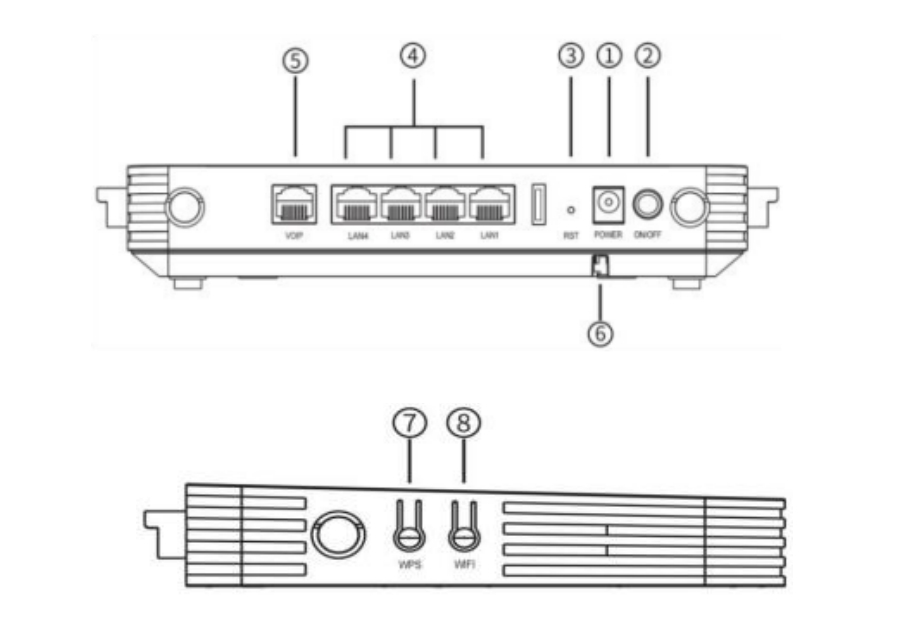
| Interface | Description | |
| 1 | POWER | 12V/2A, power input interface |
| 2 | ON/OFF | Power switch button |
| 3 | RST | Reset the ONT |
| 4 | LAN1-LAN4 | RJ45 10/100/1000M Base-T Ethernet interface |
| 5 | VOIP | RJ11 FXS interface |
| 6 | PON | G/EPON interface |
| 7 | WPS | WPS switch button |
| 8 | WIFI | WIFI switch button |
LED Operating Status
The operation status of ONT-VU4736H can be determined by using the front LED. The panel LED indicator will display the status of each interface. The meaning of LED is shown in the following table.
| LED | Color | Indicates |
| PWR | Green/Solid | Normal |
| OFF | No power | |
| PON/LOS | Red | Optical link is NOT OK (rang: out of -8~-29dBm) |
| Green/Flash | Optical link is OK (rang: in -8~-29dBm) | |
| Green/Solid | Registered successful and active | |
| Internet | Green/Solid | The WAN interface of the internet is configured |
| OFF | The Internet WAN interface is not configured or the Internet WAN interface is configured but does not take effect. | |
| LAN1/LAN2/LAN3/LAN4 | Green/Flash | Device connected |
| Active or Link data receive and transfer (Green/Flash) | ||
| OFF | Device not connected | |
| Link down | ||
| VOIP | Green | Successfully registered to softswitch |
| OFF | Not be registered to softswitch | |
| USB | Green | Connected and data receive and transfer |
| OFF | No power/error/USB is not connected/USB disable | |
| WIFI_2.4G/5G | Green/Flash | The terminal is connected to transmit data wirelessly |
| OFF | No power/WIFI disable | |
| WPS | Green | WPS started working |
| OFF | WPS is not working |